

Amazing! Candles came earlier than expected and the quality is fantastic. Will be back.
Reply to customer reviews just by highlighting them
Highlight a review, click Replylight, and get a thoughtful, well-written reply that's ready to post. Works everywhere.
FREE for most businesses. No accounts or dashboards — just a Chrome extension.
Works on review sites, marketplaces, your CMS - anywhere you can select text.







Highlight
Reply

Try it yourself, here
Highlight any part of this review, then click Write Reply.
Your turn — select some of this this review text
SR
Sarah R.
4 hours ago
Honestly didn't expect much but I was completely blown away by the quality. Packaging was beautiful, shipping was fast, and the team even threw in a handwritten note. I'll definitely be ordering again and telling my friends.
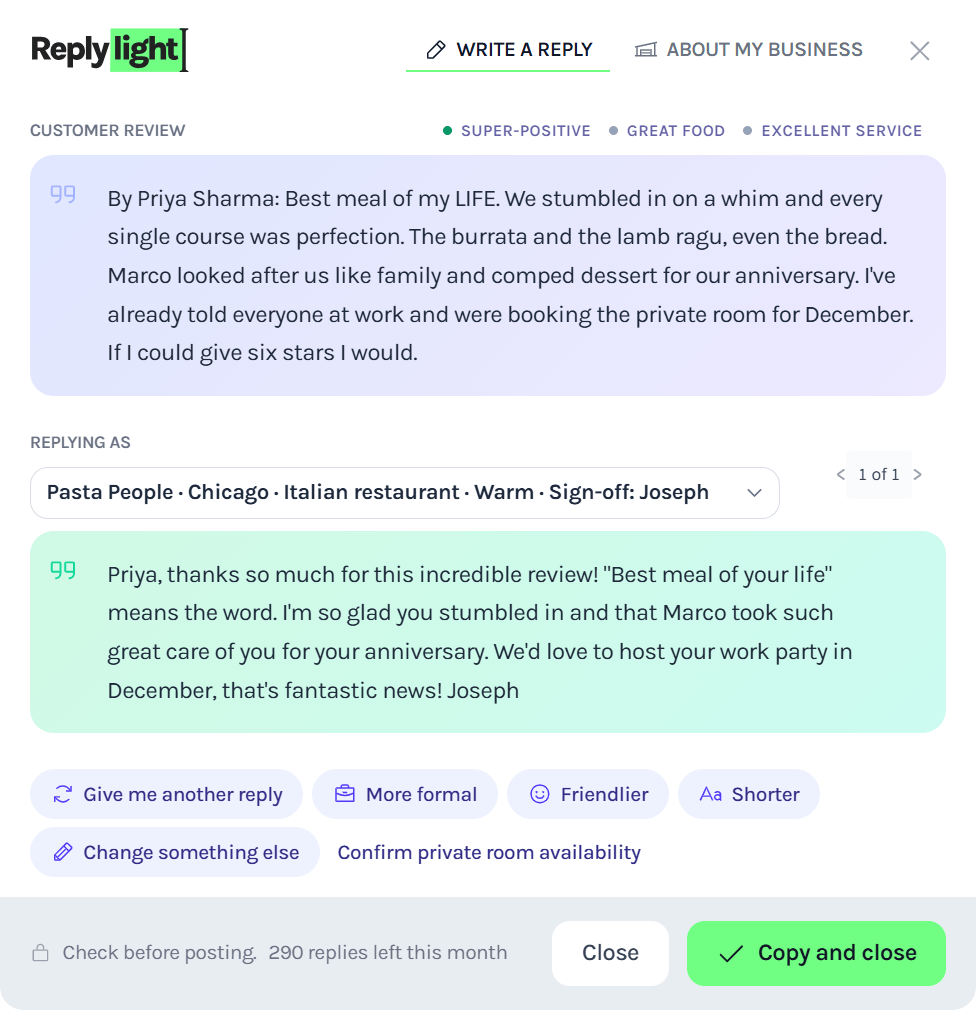
Highlight. Click. Copy. Done.
1.
Highlight a customer's review
Select any text of a customer's review. Google, TrustPilot, your CMS, wherever.
2.
Replylight writes the response
One click. A thoughtful, personal reply appears next to the review.
3.
You approve and post it
Read it, tweak it if you want, then copy with a click. Post your reply and you're done in seconds.
Stupidly simple. Works every time. If you can select text, you can use Replylight.
Judge for yourself
As a customer, which reply would you rather read?
Product is good. Delivery took longer than I expected though. Mixed feelings.
It arrived damaged and support never even replied. Really disappointed.
Replylight only suggests a response. You approve everything before it goes live.
You should reply to every customer review
18%
higher revenue for businesses that respond to every review. WiserReview
80%
of customers say they're more likely to use a business that replies to every review. BrightLocal
50%
are put off by a generic, templated reply - more than are put off by no reply at all. BrightLocal
Why don't you reply to customer reviews?
You haven't got time.
You're not sure what to write.
You'll probably find time tomorrow.
10 other things are demanding attention.
No one started a business because they love replying to reviews.
Replying to reviews is harder than it looks
It's not finding five minutes. It's finding the right words at the end of a long day.

u/TechnologyMatch
Who wants to write a reply at 11pm? The sacrifices business owners make are not just financial — the real ones happen in the background, where you invest a little something of yourself into the business.

Mina Park
Restaurant owner
Most of us without social media managers cannot muster the energy after taking care of payroll, managing our teams, prepping food, paying bills to do much more.
u/friendlyecomreviewer
In reality, negative reviews tend to get answered first because they feel urgent, while positive reviews often get pushed down the to-do list.
Works on the page you're already on
No dashboard or extra tabs - Replylight shows up wherever you're reading reviews.
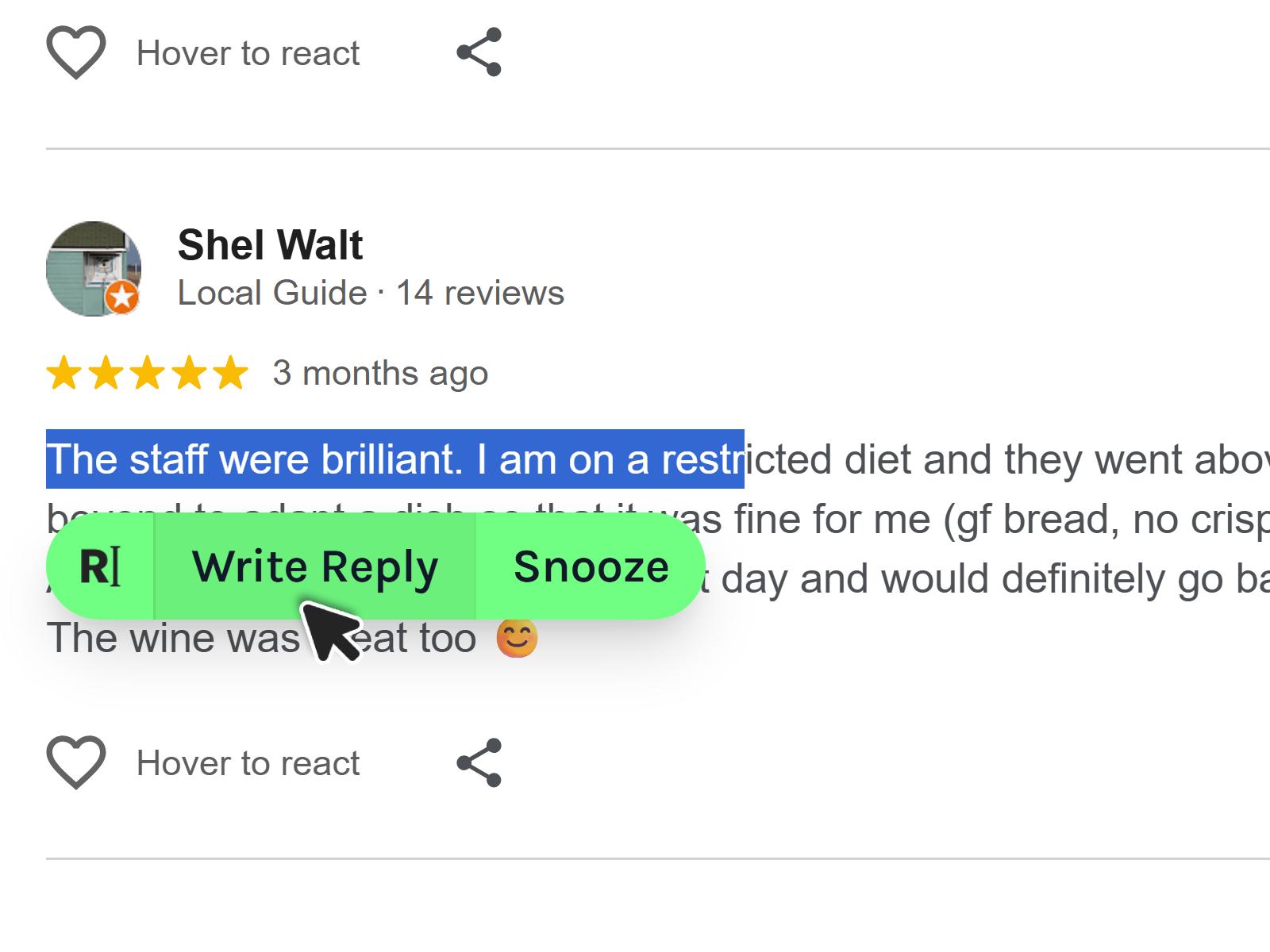
The magic button
The magic button
Select any part of the review text on the page and the Replylight button will appear. Write Reply opens up your draft reply ready to go.
Not replying right now? Snooze hides the button for 30 minutes, an hour, or the rest of the day. It stays out of your way until you're ready.
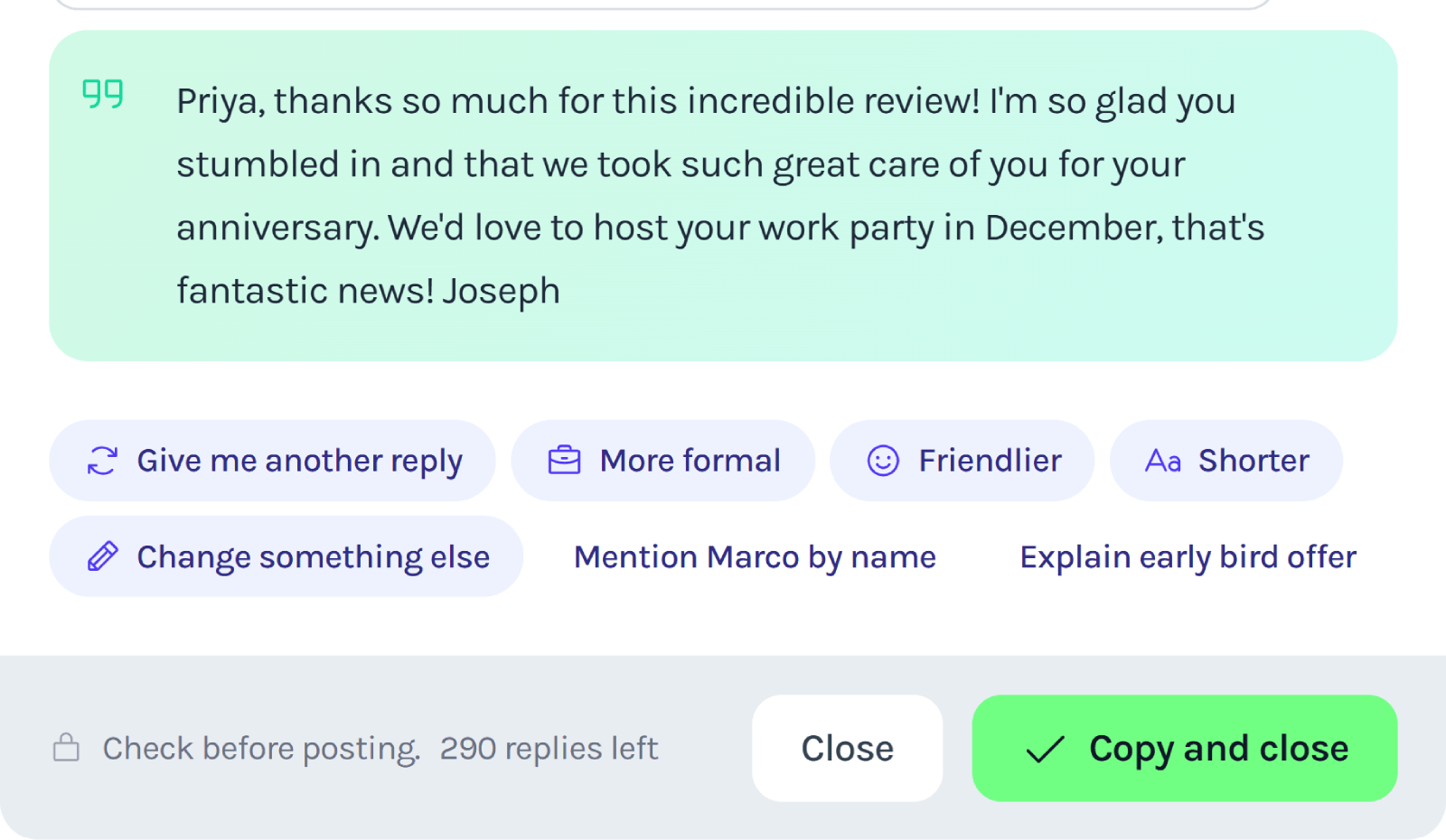
One-click Edits
Tweak the reply without starting over
Once Replylight drafts a response, one-click chips let you go more formal, sound friendlier, or cut it shorter. You'll even see suggestions for that specific review.
Need something specific? Hit Change something else and describe what you want - tone, length, a detail to add. Replylight rewrites the draft while keeping the facts straight.
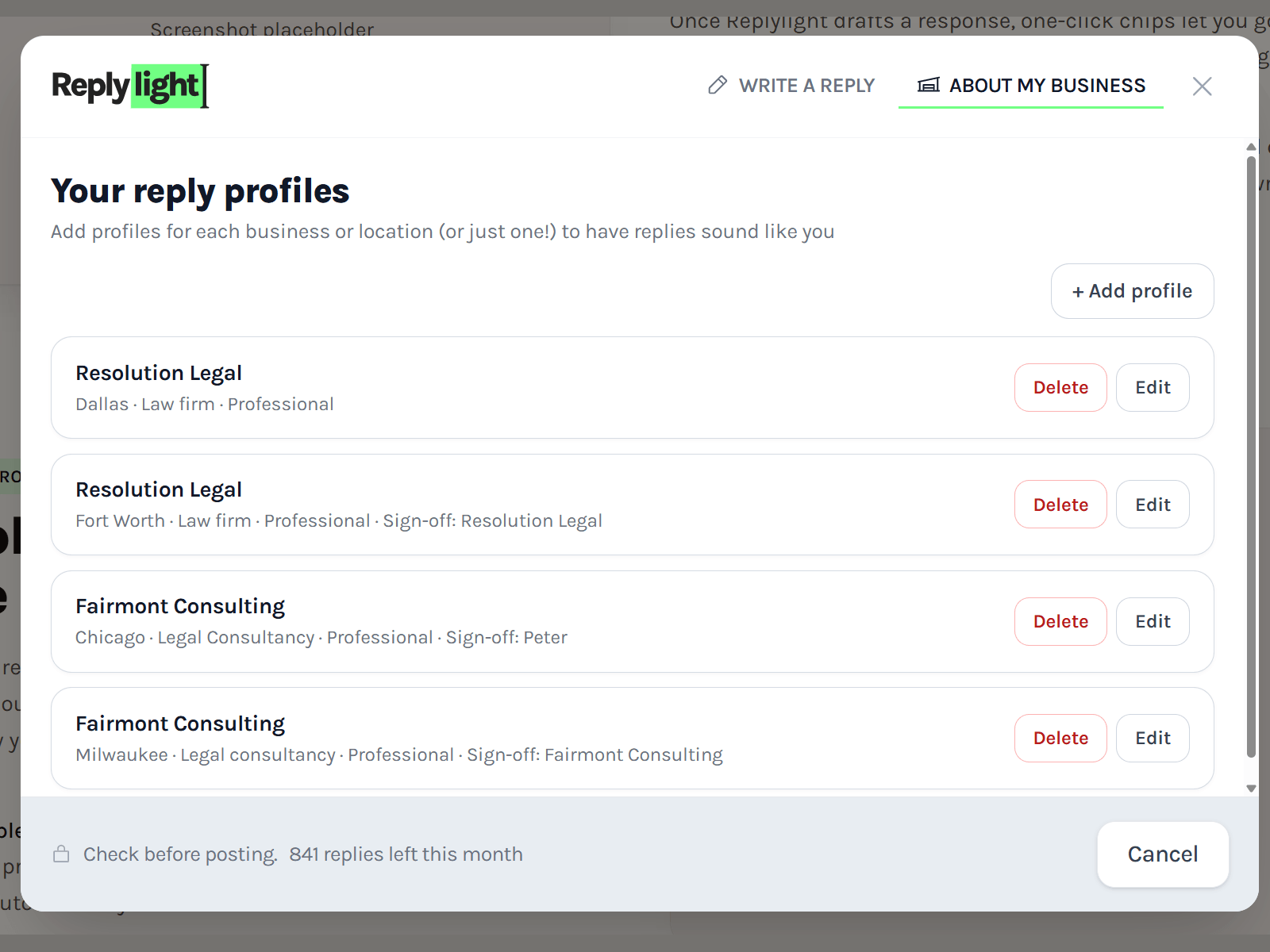
Reply profiles
A different profile for every business
Run more than one business or location? Create a reply profile for each - name, type, tone, and sign-off - then just switch when you write. Replylight picks up the right voice automatically.
Even with a single business, profiles let you set how you sound: warm, professional, casual, or let Replylight choose - and how you sign off: your name, the business name, or something else.
But don't install Replylight if you want:
- An onboarding call
- A 15-step setup process
- Another login to remember
- Dashboard and charts
- Tagging, folders, rules, automations, or CRM
- Something that only works on Google (and others cost extra)
- Replies posted without your approval
- Settings inside settings inside settings
You highlight a review. We write the reply. You check it. Done.
What changes when you use Replylight?
- You reply to reviews in seconds
- Your business looks active and responsive
- You handle complaints before they snowball
- You save hours every month
- You're boosted rewarded by platforms like Google, TrustPilot and Yelp
You stay in control
Replylight can't post anything automatically. Every reply is created for you to check (and tweak) before posting yourself.
Your customers see thoughtful replies and you keep the final say.
Free to start. Pay only when you scale.
If you only reply occasionally, Replylight is free. Pay only when you need more
Free
For small businesses replying to a handful of reviews a week.
$0
- 20 replies / month
- 1 reply profile
- Works on every site
- No card required
Pro
Most popularFor growing business or with multiple locations.
$20/mo
$240 billed annually. That's 2 months free.
- 1000 replies / month
- For mutiple businesses
- Unlimited reply profiles
- Priority support
- Cancel anytime
Pro Early-Bird Offer (50% off)
First 100 onlyKeep this price while you stay subscribed
All Pro features. $120/year ($10/mo equivalent). Billed annually. Cancel anytime — standard Pro pricing applies if you resubscribe later.
$240/year
$120/year
0 of 100 early-bird offers claimed
100 left
You've got better things to do than reply to reviews all day.
No setup. No card. Just try it.
Frequently asked questions
Does it work on any website?
Yes! Anywhere you can select text in your browser. Google Reviews, Trustpilot, Yelp, eBay, Etsy, Airbnb, Vinted, your backend CMS, and pretty much every review platform we've tried.
Will it post automatically?
Never! Replylight is unable to post automatically. It only suggests a reply for you to read, edit if you want, and post it yourself.
Is there a free plan?
Yes! Free covers casual use forever. Just download the extension and get going - no signup needed. You only pay if you reply at higher volume.
Do I need to connect my accounts?
No! There's nothing to connect. Install the extension and start highlighting reviews - that's it.
Which browsers does Replylight work in?
Google Chrome for now. Install the extension from the Chrome Web Store, open any review page, and you're ready.
Can I edit a reply before I post it?
Always. Replylight only suggests a draft. You read it, tweak a word, use one-click edits to change tone or length, then copy and post when you're happy.
Will replies sound like my business?
Yes. Set up a reply profile with your business name, type, and tone (warm, professional, casual, or let Replylight choose). Pick how you sign off. Replies are written to match that voice, not a generic template.
Does it work on negative reviews?
Yes. Replylight handles positive, neutral, and even the toughest negative reviews. It picks up what the customer actually said so you can acknowledge the issue, take ownership, and reply like a human - not a copy-paste apology.
How many replies do I get on the free plan?
20 replies per month and one reply profile. No card required. If you're replying more often, Pro gives you 1,000 replies a month and unlimited profiles.
Can I use it for more than one business?
On Pro, yes. Create a reply profile for two or more businesses or locations and switch when you write. Businesses or locations can be completely independent of each other. The free plan includes one profile.
What if I run out of replies?
When you hit your monthly limit, you can upgrade to Pro or wait until your count resets on the 1st of the next month. You're never charged on the free plan.
What's the early-bird offer?
$120 per year for the first 100 customers — renewals stay at $120/year for as long as your subscription stays active. All Pro features, billed annually only. Cancel anytime; if you come back later, standard Pro pricing applies. Once the 100 spots are gone, standard Pro pricing applies to new customers. See availability.
How long does it take to set up?
About a minute. Install the extension, add a reply profile if you want (optional), highlight a review, and click. No onboarding call, no dashboard, no integrations to configure.
You haven't answered my question!
No problem! Email us at [email protected] and we we'll get back to you within a day, probably sooner.